Shopify Theme Code Diffing & Visual Version History
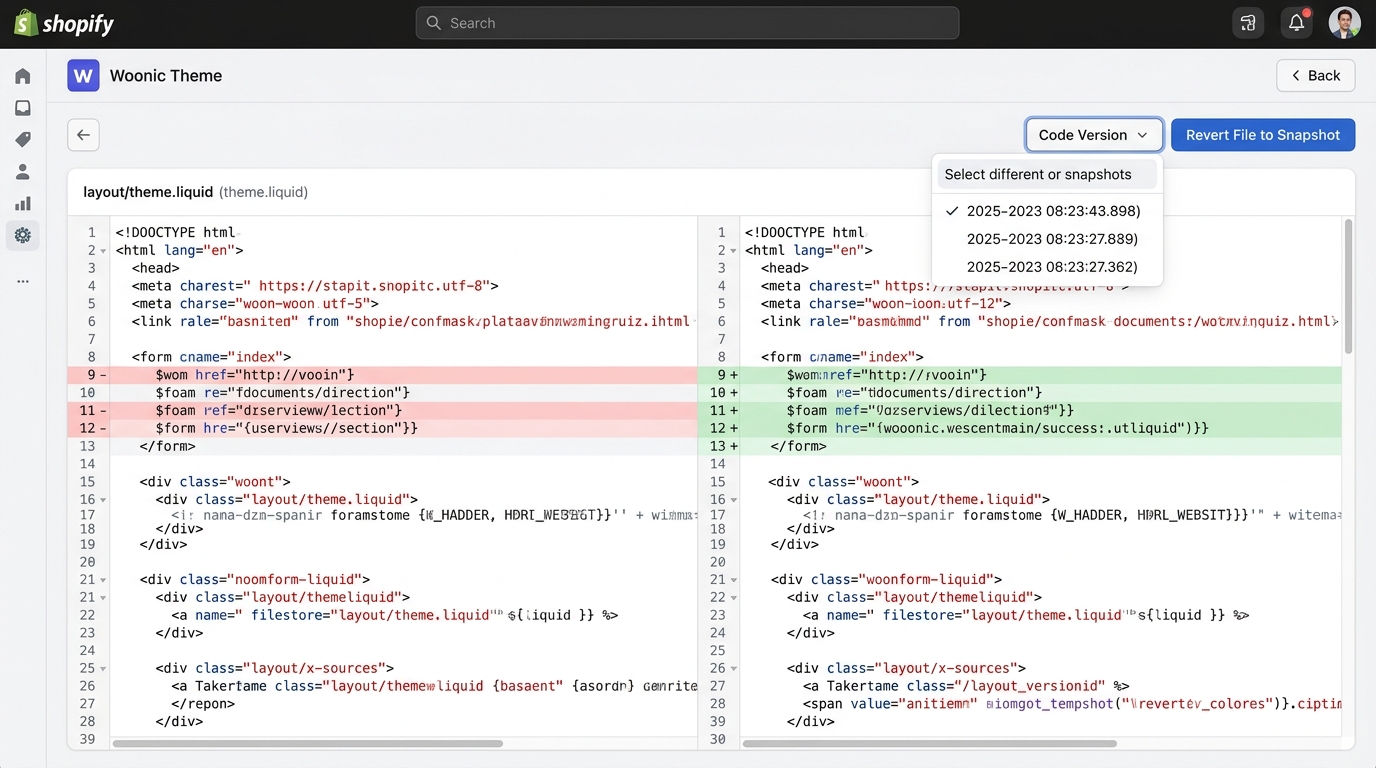
Theme code diffing is the side-by-side visual comparison of two versions of Liquid code, highlighting added, deleted, and modified lines. Woonic brings Git-like version control transparency into your Shopify admin so you can spot errors and revert broken files instantly.
How do you see what code changed in a Shopify theme?
In standard Shopify development workflows, multiple stakeholders frequently edit theme files at once: in-house marketers paste Google Tag Manager scripts into theme.liquid, contract agencies refactor collection grid CSS, and newly installed apps inject custom app blocks. When something breaks, identifying which edit caused the failure without visual diffing is virtually impossible.
Native Shopify Theme History vs. Woonic Visual Diffing
| Feature | Native Shopify "Older Versions" | Woonic Visual Diff Engine |
|---|---|---|
| Visual Line Diffing | None (must read raw code by hand) | Color-coded side-by-side comparison |
| Version Limit | Capped at ~20 web editor revisions | Daily timestamped AWS S3 snapshots |
| App-Injected File Tracking | Often skips newly added asset files | Tracks all assets, snippets, & sections |
| Audit Trail | No cross-file diff overview | Complete change logs across all theme files |
| 1-Click Revert | Overwrites file without previewing diff | Preview diff before confirming 1-click restore |
3 Critical Scenarios Where Theme Diffing Saves Revenue
1. Fixing Broken Cart & Checkout Drawers
When your add-to-cart button suddenly stops responding on mobile, diffing your cart templates (snippets/cart-drawer.liquid) against yesterday's snapshot instantly exposes unclosed JavaScript tags or malformed Liquid syntax.
2. Cleaning Up "Ghost Code" from Uninstalled Apps
When third-party apps are uninstalled, leftover script tags can call dead external servers and destroy your Google PageSpeed scores. Woonic highlights every orphaned tag for clean, confident deletion.
3. Agency Deliverable & Contractor Audits
Verify exactly what files your freelance developer altered during a project sprint. Ensure no unauthorized template changes or unoptimized assets were pushed to your live production store.
Frequently Asked Questions About Theme Code Diffing
Audit and protect your theme code with Woonic
Gain full visibility over your Liquid templates, CSS, and snippets. Try Woonic's visual theme code diffing free for 7 days.
Start Free Trial on Shopify App Store →