Clone & Duplicate Shopify Stores Without Sharing API Tokens
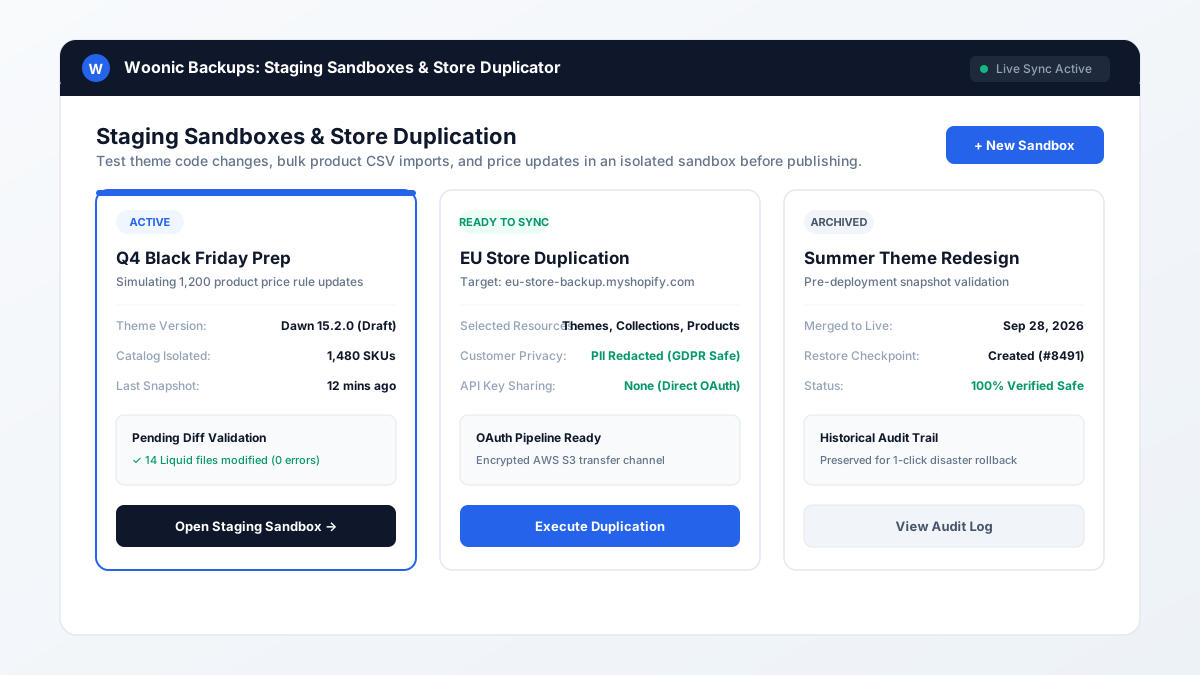
Cloning a Shopify store is the process of replicating your theme code, products, metafields, and collections into a secondary store. Woonic provides a zero-trust store duplicator that transfers assets securely via OAuth without exposing private API credentials or compromising GDPR compliance.
How do you duplicate a Shopify store safely?
The traditional approach to duplicating stores involves exporting CSV spreadsheets and manually uploading them to the new store, or creating custom private apps and emailing Admin API secret tokens to contractors. This creates massive security risks: long-lived API tokens grant administrative read/write access to payment configurations and customer addresses, creating potential GDPR liability.
Store Duplication Methods Compared
| Feature | Manual CSV Exports | Custom API Scripts | Woonic Store Duplicator |
|---|---|---|---|
| Theme Code & Assets | Requires manual .zip handling | Complex Asset API scripting | 1-Click automated Liquid transfer |
| Custom Metafields | Often lost in standard CSVs | Requires custom GraphQL code | Preserves all variant metafields |
| Security / Token Exposure | Unencrypted spreadsheets | High (sharing Admin API secrets) | Zero-trust short-lived OAuth |
| GDPR PII Exclusion | Manual cell deletion needed | Custom filtering code required | Built-in automatic PII redaction |
| Execution Time | Hours of troubleshooting | Days of script debugging | Under 10 minutes automated |
How to clone your store with Woonic in 4 simple steps
- Install Woonic on Source & Target Stores: Add Woonic to your primary store and your destination expansion store via the Shopify App Store.
- Open Store Duplicator: Navigate to the Store Duplicator section in your Woonic dashboard.
- Select Resources to Clone: Check the categories you want to transfer (Themes, Products, Collections, Pages) and toggle Exclude Customer Personal Data.
- Authenticate & Transfer: Click Execute Duplication to begin the encrypted cloud transfer. Woonic notifies you when the new store is ready.
Frequently Asked Questions About Store Cloning
Scale your store multi-regionally with Woonic
Duplicate themes and catalogs cleanly with zero API key exposure. Try Woonic Store Duplicator today.
Start Free Trial on Shopify App Store →