
Shopify Backup App for Automated Store Protection
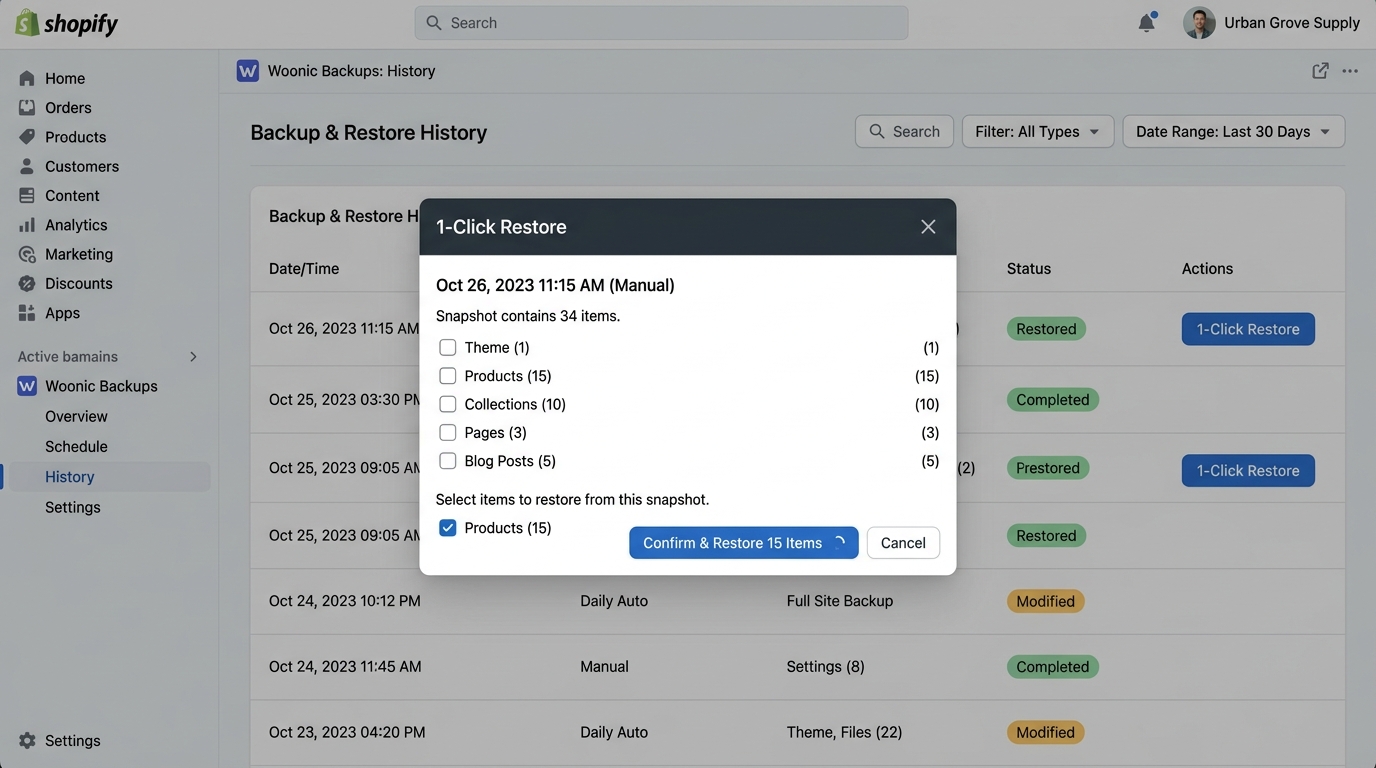
A Shopify backup app is a specialized cloud utility that captures continuous snapshots of your products, theme files, collections, and settings to enable instant disaster recovery. Woonic provides automated daily AWS S3 backups with granular 1-click restore.
Does Shopify automatically back up your store?
Many merchants mistakenly assume that Shopify works like a continuous document editor where revisions can be undone with a keystroke. However, when an item is deleted via the Shopify Admin or an installed app issues an API DELETE call, that record is instantly purged from production databases across all edge points.
Without a third-party backup application like Woonic, recovering from a catastrophic bulk CSV import or corrupted theme can take dozens of hours of manual reconstruction from memory and static spreadsheets.
Native Shopify Data Handling vs. Woonic Automated Backups
The table below breaks down the technical differences between native Shopify capabilities and Woonic's automated cloud protection:
| Capability | Native Shopify Admin | Woonic Backup App |
|---|---|---|
| Automated Daily Backups | Not provided for store accounts | Included daily on all plans |
| 1-Click Granular Restore | None (irreversible on deletion) | Restore single products, collections, or themes |
| Theme Code Diffing | Limited 20-version older timestamp list | Line-by-line visual diff with green/red syntax |
| Metafield Backup | Manual manual export via GraphQL | Automated snapshot of all custom metafields |
| Sandbox Staging Workspaces | Requires separate Shopify Dev store setup | Built-in staging engine with diff validation |
| Store Duplication Engine | Manual CSV import & token exposure | Zero-trust OAuth store cloning pipeline |
| Storage Infrastructure | Shopify internal database | Dedicated AWS S3 with AES-256 encryption |
What data does Woonic back up on your Shopify store?
Unlike basic CSV export tools that only capture a fraction of your store's attributes, Woonic's deep snapshot engine captures relational metadata:
- Theme Liquid Code & Assets: All templates (
theme.liquid, sections, snippets), translation locales, and theme settings data. - Full Product Variant Metafields: Custom definitions powering your search filters, sizing charts, and technical specifications.
- Collection Hierarchies: Product sorting criteria, automated collection conditions, and featured hero images.
- Policy & Legal Pages: Shipping policies, terms of service, and rich-text blog publications.
How to set up automated Shopify backups in 3 steps
- Install from the Shopify App Store: Add Woonic to your store with one click. Scoped OAuth permissions securely connect via official Shopify GraphQL APIs.
- Run Your Baseline Snapshot: Click "Create Backup Now" in your Woonic dashboard to encrypt and archive your live catalog to AWS S3.
- Activate Automatic Schedules: Turn on automated daily delta syncing so every future product edit and theme update is protected around the clock.
Frequently Asked Questions About Shopify Backups
Detailed answers regarding store security, restore mechanics, and backup automation.
Protect your Shopify store with automated backups
Join smart Shopify merchants using Woonic to secure themes, products, and configurations. Setup takes 5 minutes with a 7-day free trial.
Start Free Trial on Shopify App Store →