Shopify backup app with 1-click restore
Stop losing sales to broken stores.
Woonic is a Shopify app that backs up your products, themes, pages and settings daily and lets you restore any item in one click. One bad theme edit, deleted collection, or rogue app update shouldn't tank your business.
What happens when you don't have automated backups?
Shopify maintains platform-level disaster recovery for its infrastructure, but does not provide individual store rollbacks. If a file is deleted or overwritten, it is gone from live production.
Revenue stops immediately
A broken cart drawer or deleted product listing causes bounce rates to surge. Paid traffic and marketing spend are burned until someone spots the issue.
Hours of manual rebuilds
Without automated version snapshots, merchants are forced to manually recreate lost catalog variants, metafield mappings, and theme code snippets from stale CSV files.
Rogue app code conflicts
Third-party apps often modify Liquid templates directly. When uninstalled, leftover script tags and orphan code remain behind, degrading site speed and breaking functionality.
Built for complete store data protection
Engineered to give Shopify merchants and developers granular control over backups, restores, theme code diffs, and staging.
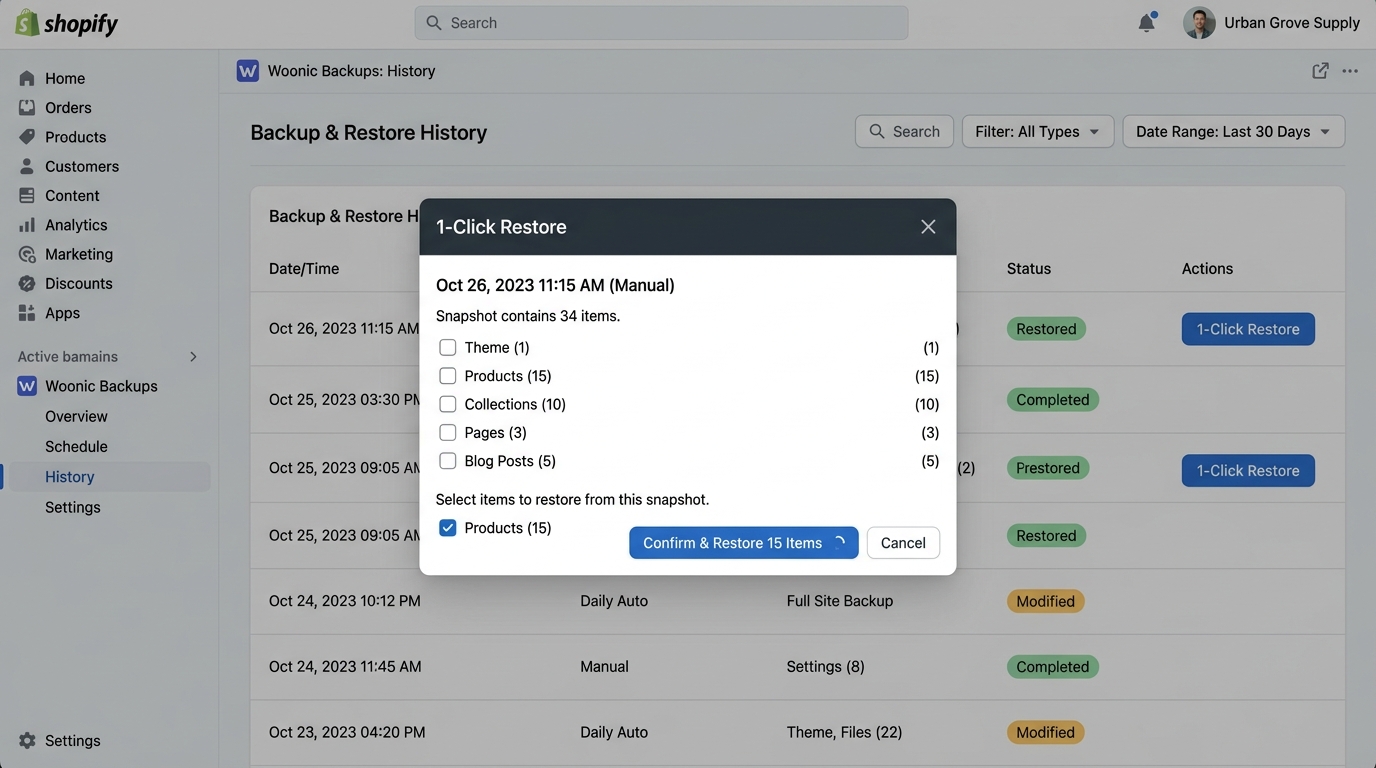
Restore anything. One click.
Accidentally deleted your best-selling product or broke a single Liquid file? Don't roll back your entire store. Woonic allows you to restore individual items or specific resource categories in seconds.
- Restore individual products, collections, pages, or blogs
- Preserve live order history while recovering catalog assets
- Granular selection modal with live snapshot details
See exactly what changed in your theme
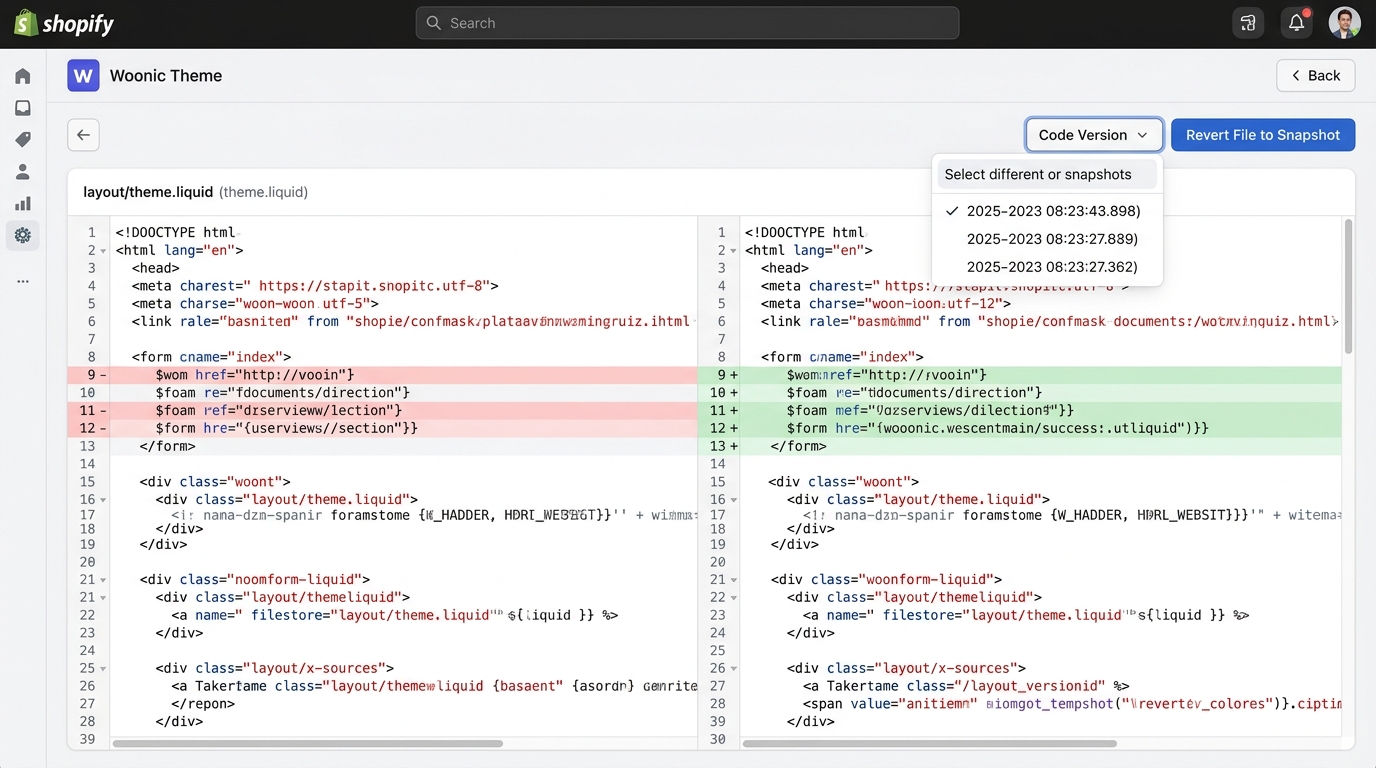
When an app installer or freelance developer modifies your Liquid files, Woonic's Theme Code Diff visualizer highlights additions in green and deletions in red. Spot bugs immediately and restore single files with one click.
- Side-by-side line-level Liquid diffing across backup timestamps
- Audit agency edits and third-party app code injections
- 1-click single-file revert to any verified snapshot
Test changes safely before going live
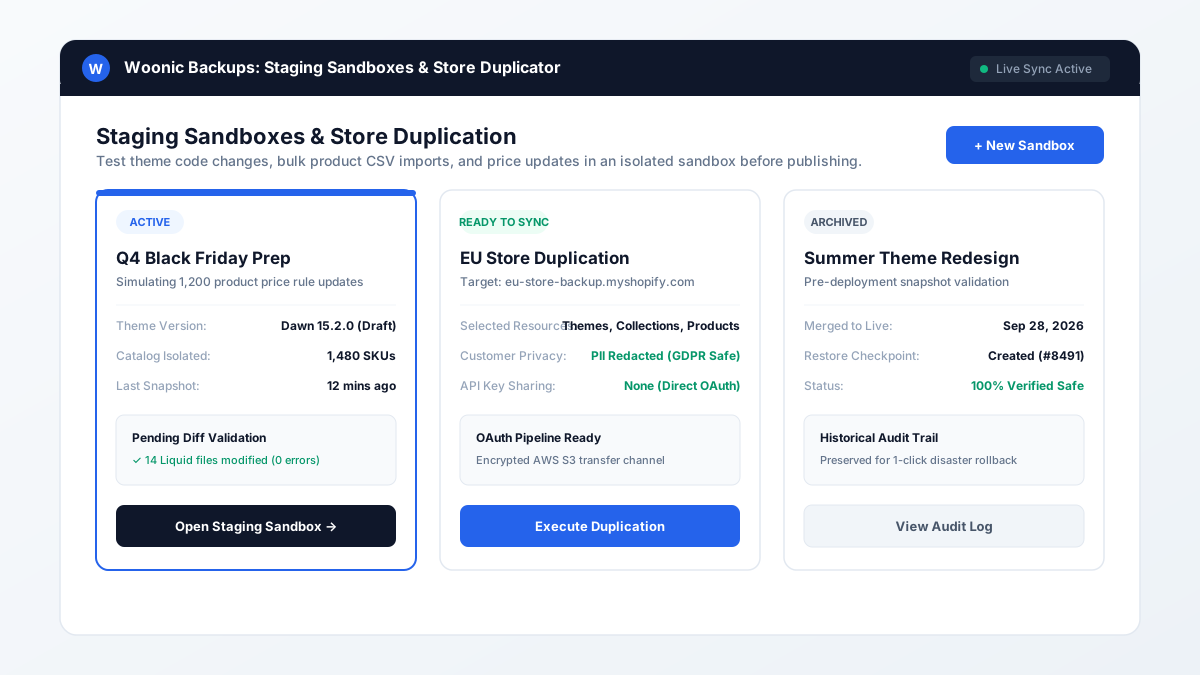
Create isolated staging environments to test bulk product CSV uploads, pricing overhauls, and theme upgrades. Clone stores for regional expansion or sandbox testing without sharing administrative API tokens.
- Isolated staging workspaces to validate changes safely
- Duplicate themes, products, and collections cleanly
- Zero exposure of long-lived Admin API keys
How Woonic restore works
A reliable 3-step disaster recovery workflow designed for speed and accuracy.
Continuous AWS S3 Snapshots
Woonic connects to your store via Shopify's official GraphQL APIs. Your themes, products, variants, collections, and pages are encrypted with AES-256 and stored in dedicated cloud vaults.
Select Snapshot & Inspect Diffs
When an issue arises, open the Woonic History Log. Review timestamps, compare theme code diffs side-by-side, and identify exactly what was altered or removed.
1-Click Granular Recovery
Click "1-Click Restore" for the specific item or category. Woonic restores the clean assets back into your live Shopify store in seconds without disrupting live checkouts or new customer orders.
Engineered for data privacy & security
Your store's data is stored in isolated AWS S3 buckets with bank-grade encryption and full GDPR compliance.
AES-256 Cloud Encryption
All store snapshots are encrypted at rest with AES-256 in AWS S3 and encrypted in transit via TLS 1.3 protocol.
GDPR & CCPA Compliant
Automated webhook handling for customer data requests and redactions. Backups are scrubbed upon uninstall.
Zero-Trust Architecture
We use scoped, short-lived Shopify OAuth tokens. We never store long-lived Admin API keys or payment card details.
Predictable flat-rate pricing
Unlike legacy backup apps that charge order-volume taxes as you sell more, Woonic offers transparent catalog-tier pricing with no growth penalties.
Essentials
For stores getting started.
- ✓ Up to 500 products
- ✓ Daily automated backups
- ✓ Themes, pages, blogs & files
- ✓ Discounts & collections
- ✓ 1-year data retention
- ✓ Stored on AWS S3 (AES-256)
Professional
Staging, diffing & cloning.
- ✓ Up to 3,000 products
- ✓ Staging center (3 workspaces)
- ✓ Store cloning (1/month)
- ✓ Theme code diff visualizer
- ✓ Extended activity history logs
- ✓ Daily automated backups
Plus
Unlimited scale.
- ✓ Unlimited products
- ✓ Unlimited staging workspaces
- ✓ Unlimited store cloning
- ✓ Custom backup schedules
- ✓ Priority customer support
- ✓ Dedicated AWS S3 bucket option
Frequently asked questions
Clear answers about Shopify backups, restoration, and data protection.
Protect your Shopify store today
Set up automated AWS S3 backups in under 5 minutes. Start your 7-day free trial directly on the Shopify App Store.
Install Woonic from App Store